
In Spain's device repair market, nobody was doing programmatic SEO. Every combination of device, brand, model, repair type, and city was an untapped long-tail opportunity.
The thesis: if someone searches "iPhone battery repair Seville", a dedicated page should exist — with the real price, estimated turnaround, and photos from actual repairs. But hand-building thousands of pages wouldn't scale. I needed a system that auto-generated them from the ERP, smart enough to decide which ones to index and which to skip.
Santifer iRepair was my device repair business in Seville since 2009. Sixteen years, over 30,000 repairs. In 2024 I decided the website needed to move beyond a Squarespace brochure and start capturing the demand already sitting in Google. I built this programmatic SEO system as a competitive moat and sold the business in September 2025, at its peak.
- ●Built 4,730 static landing pages from a production ERP (real pricing, photos, verified reviews)
- ●DataForSEO-powered decision engine: only pages with real search volume get indexed
- ●Result: 2.26M impressions, 19K+ organic clicks, 80% of total site traffic
- ●7 months to build, one person, sold at peak performance
The Opportunity#
Spain's device repair market is hyper-local. People search by city, brand, and repair type. But most shops had generic sites — a single landing for all of Spain, if they had a site at all.
Thousands of long-tail combos with virtually zero SERP competition
Clear transactional intent: the user wants a repair, not information
No competitor in the sector was doing programmatic SEO in Spain (2024)
The ERP already had everything: 867 models, prices, turnaround times, real photos
The natural business taxonomy (device, brand, model, repair, city) maps directly to URLs
Real GSC queries
| Query | Clicks | Imp. | CTR | Pos. |
|---|---|---|---|---|
| reparacion moviles sevilla | 42 | 1,947 | 2.2% | 2.5 |
| reparar iphone sevilla | 51 | 3,314 | 1.5% | 12.9 |
| reparacion iphone sevilla | 46 | 4,315 | 1.1% | 5.2 |
| cambiar bateria pixel 6a | 51 | 755 | 6.8% | 6.4 |
| servicio tecnico garmin sevilla | 36 | 534 | 6.7% | 6.5 |
| cambiar bateria apple watch | 37 | 3,967 | 0.9% | 11.7 |
The Numbers#
2.26M
Impressions
Total (measured in Google Search Console)
19K+
Organic clicks
Real traffic from organic search (measured in Google Search Console)
4,730
Pages with traffic
Out of thousands generated, 4,084 indexable in sitemap, 4,730 picked up impressions
10.8x
Monthly growth
From 202 to 2,193 clicks/month in 11 months
80%
Clicks from pSEO
Organic traffic comes from programmatic pages
7
Months
1 person. CMS, pipelines, DataForSEO, 26K images, and deploy
Two Strategies, One System#
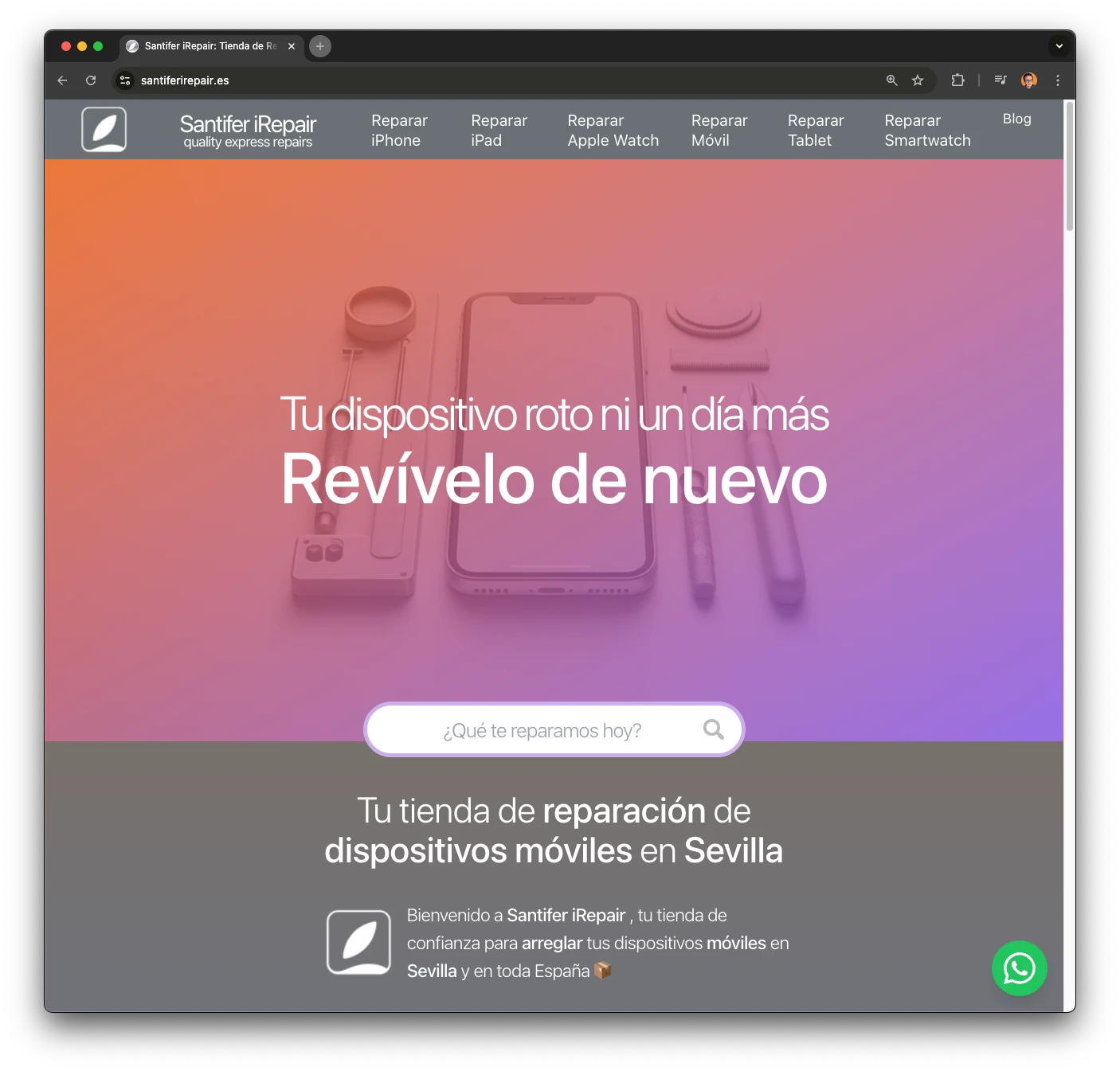
The project started with national ambitions, but Google had other ideas. Repair searches carry strong local intent — Google favors results close to the searcher, so pages without a city couldn't compete. The fix: a dual strategy. Local pages for Seville (where the physical shop sits) and national niche pages for specific repairs where location matters less.
Local Pages (Seville)
Device + brand + repair combos with "/sevilla". Google ranks these higher thanks to proximity to the physical shop. They drive the most traffic.
National Pages (no city)
Niche repairs where location matters less. The "cambiar-{part}-{brand}-{model}" format captures informational queries that convert.
The Architecture#
The system has four layers. Airtable works as a headless CMS with 14 tables and ~60 fields per table. The ERP feeds real production data. DataForSEO decides what gets indexed. Astro generates static HTML with minimal client-side JavaScript — only what's needed for UX (search, carousel), lazy-loaded.
Airtable (Headless CMS)
14 tables, ~60 fields per table. 6-level hierarchy: Device Type, Brand, Family, Model, Repair + local variants. Dual pricing (original and compatible parts), image inheritance, cascading social proof.
ERP (Production Data)
Feeds Airtable with real data: before/after photos of actual repairs, verified customer reviews, up-to-date parts inventory. 867 models, 20+ brands, 15+ repair types.
DataForSEO (Decision Engine)
Queries real search volumes for each combination. The "indexable" field in Airtable is driven directly by this data. No volume means no index.
Astro (Static Generation)
21 page templates. Generates static HTML with minimal lazy-loaded JS. 6 JSON-LD types per page. Image SEO with EXIF injection. Deployed on Cloudflare CDN.
URL Taxonomy#
The site uses 6 URL patterns, each corresponding to a level in the business taxonomy. Local patterns (with /sevilla) capture local intent. National patterns (no city) capture niche searches.
/reparar-{device}/{city}
[object Object]
/reparar-{device}/{brand}/{city}
[object Object]
/reparar-{device}/{repair-type}/{city}
[object Object]
/reparar-{device}/{brand}/{repair-type}/{city}
[object Object]
/reparar-{device}/{model}/{repair-type}
[object Object]
/cambiar-{repair}-{brand}-{model}
[object Object]
Premium Apple Routes
We started in 2009 repairing exclusively Apple devices — people knew us for it. Apple has the highest search volume, and shorter routes reflect that priority: /iphone/14-pro instead of /reparar-movil/apple/iphone-14-pro. Shorter, cleaner, better CTR. A single boolean changes everything:
// Apple: /iphone/14-pro (short, clean, better CTR)
const records = await getRecordsModelos(true);  // modoApple = true → CMSAstro(Apple) view
return records.map(r => ({
  params: { paramMarcaApple: r.paramMarca, paramModeloApple: r.paramModelo },
}));

// Generic: /reparar-movil/samsung/galaxy-s21
const records = await getRecordsModelos();  // modoApple = false → CMSAstro view
return records.map(r => ({
  params: { paramTipo: r.paramTipo, paramMarca: r.paramMarca, paramModelo: r.paramModelo },
}));
modoApple = true
A single boolean switches the Airtable view (CMSAstro vs CMSAstro(Apple)) and the URL structure. Same page, same layout, two routing systems.
Shorter routes
/iphone/14-pro vs /reparar-movil/apple/iphone-14-pro. Apple is the dominant brand in repairs; its routes deserve premium URLs.
Inside the CMS#
Airtable isn't just a spreadsheet on steroids. Here, it runs as a full relational CMS. The key: a 6-level hierarchy that mirrors exactly how the business operates.
| Table | Purpose | Key Fields |
|---|---|---|
| Device Types | Root level of the taxonomy | slug, name, SEO description, menu order |
| Brands | Brands linked to device types | slug, name, logo, compatible types |
| Families | Model grouping (e.g., iPhone 14 series) | slug, hero image (inheritable), brand |
| Models | Specific devices with pricing | slug, family, image (inherits from family if empty), year |
| Repairs | Repair types per model | slug, original price, compatible price, turnaround, indexable |
| Local Variants | City-specific pages for local SEO | model + repair + city, adjusted price, availability |
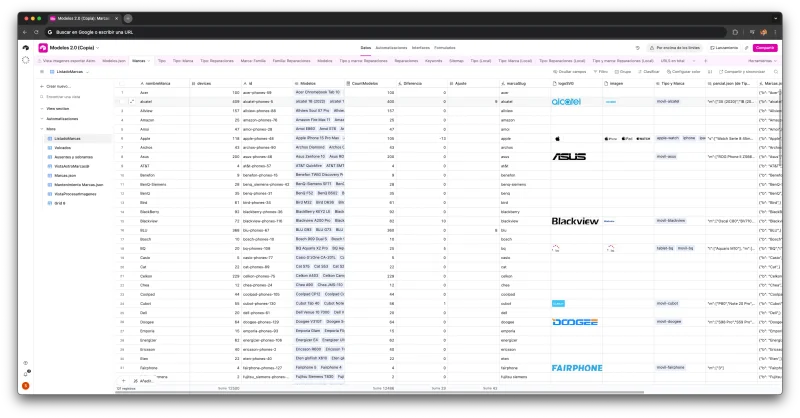
Key CMS patterns
Dual pricing
Each repair has a price with original parts and a price with compatible parts. The user chooses on the landing page.
Image inheritance
If a model has no image, it inherits from its family. Cuts maintenance without leaving pages blank.
Cascading social proof
Reviews link at the model, family, or brand level. A review for "iPhone 14 Pro" shows up on every repair page for that model.
Bridge mode
Discontinued repairs don't get deleted — they're flagged as "bridge" and redirect to the closest alternative. Zero 404s, zero authority loss.

Anatomy of a Page#
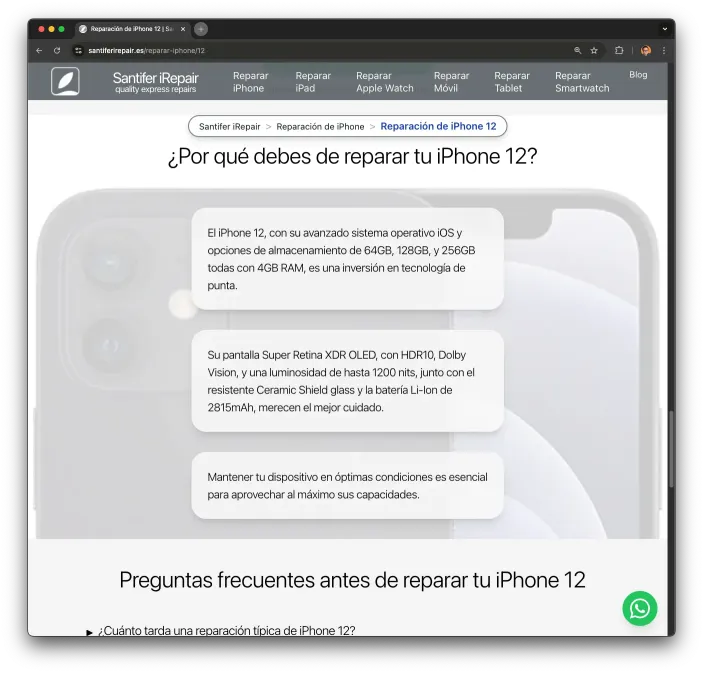
Each of the 4,700+ pages is generated from a template, but the content is unique because it comes from the ERP. Not AI-generated text or filler copy — it's production data.
Breadcrumb + Schema
Hierarchical navigation reflecting the taxonomy. Generates BreadcrumbList JSON-LD automatically.
Real Pricing
Original and compatible prices, pulled from the ERP. The user sees exactly what they'll pay.
Estimated Turnaround
Based on actual historical repair data. Not a generic guess.
Before/After Photos
Real images from completed repairs. EXIF injected with geolocation and SEO metadata.
Verified Reviews
Real customer reviews linked to the model or family. With Review and AggregateRating schema.
6 JSON-LD Types
LocalBusiness, Product, Service, BreadcrumbList, FAQPage, AggregateRating. Every page has full markup.


Conversion Flow per Page
Every page follows a conversion structure designed to take the user from discovery to action:
Hero with dual pricing (original/compatible) + direct booking CTA
Model-specific specs: camera, battery, device technologies
Gallery of real before/after repair photos
Verified customer reviews linked to the model or family
FAQ generated from ERP data (real customer questions)
Final CTA with shop map and booking button
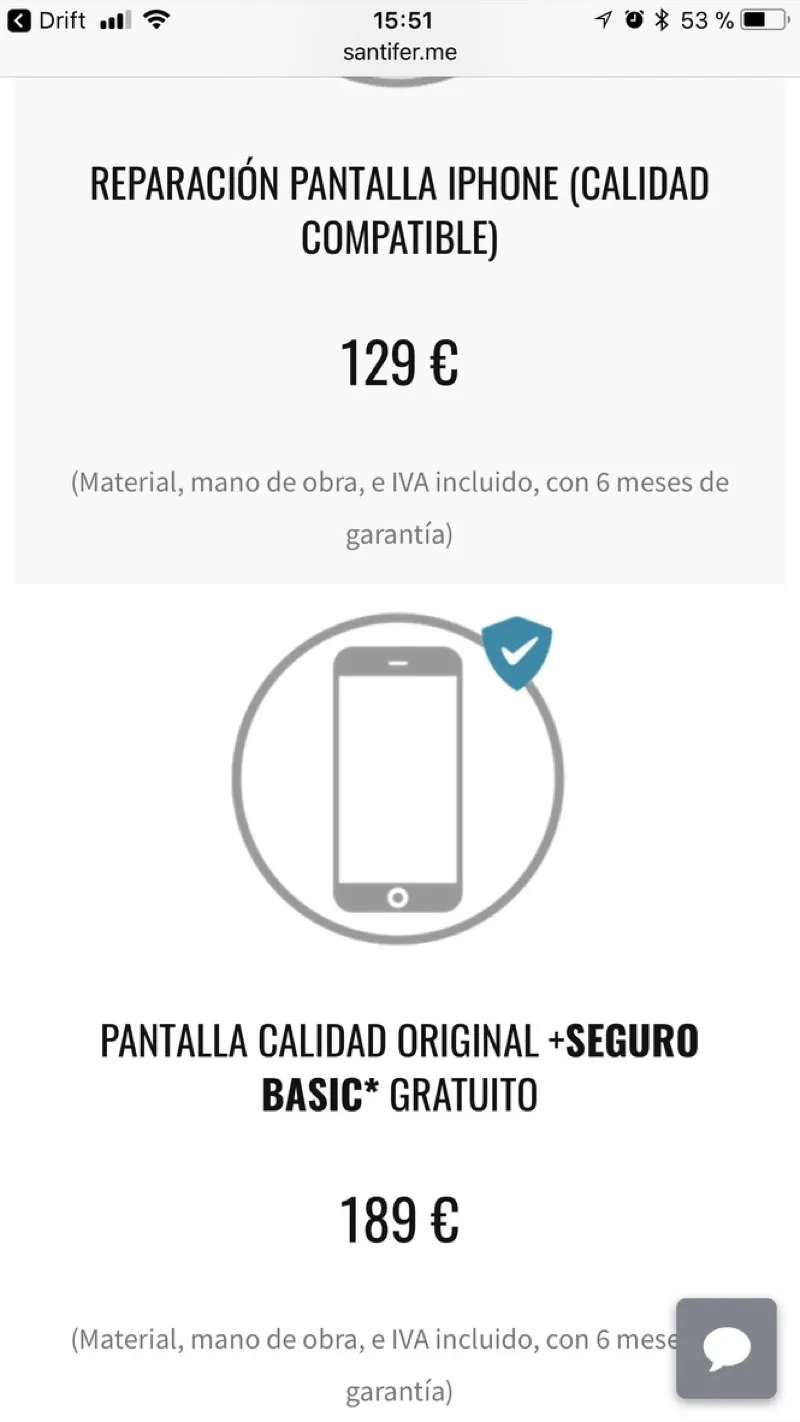
A user searches "repair iPhone 14 Pro screen Seville." They land on a page with pricing (€189 original / €89 compatible), estimated turnaround (45 min), 3 real repair photos of the iPhone 14 Pro, and 12 verified reviews. No navigation needed — everything they need to decide is right there.
Dynamic Per-Model Copy
Every device model gets unique microcopy generated from its real hardware specs. An Airtable field stores the technical specs (camera, battery, processor, water resistance) and a prompt generates a description that varies by model. An iPhone 14 Pro talks about its 48MP camera and ProMotion display. A Pixel 7a highlights its Tensor chip and computational photography. This isn't generic filler — it's copy that only applies to THAT model, based on real hardware data. Same template, unique content on every page.
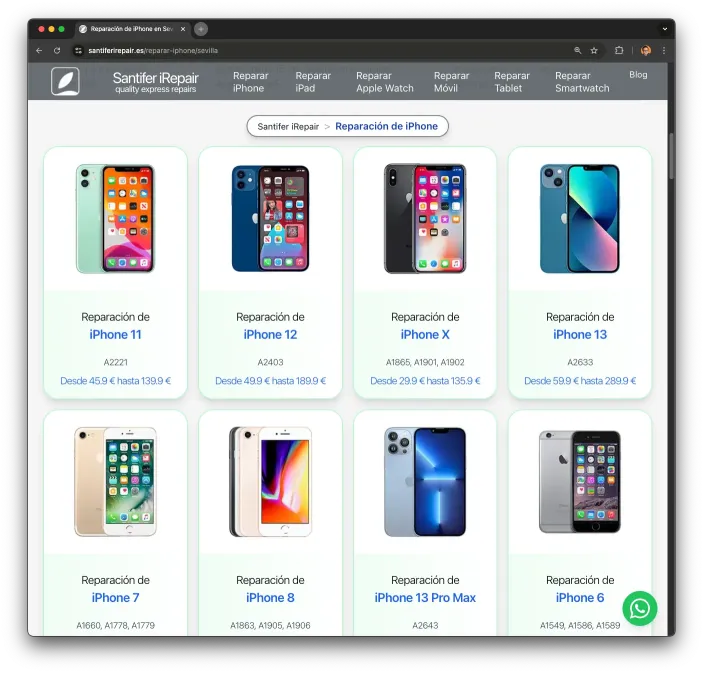
Live Pricing from the ERP
The same CMS that generates the copy also syncs repair prices in real time. Airtable bridges the ERP (where parts costs and margins get updated) and the website. Each model card shows a price range calculated from the min and max of its available repairs. When a price changes in the ERP, the site rebuilds with the updated price — zero manual intervention.
let cadenaPrecio = '';
if (mostrarPrecio.startsWith('desde') && detail.precioMinCard) {
  cadenaPrecio = `Desde ${detail.precioMinCard}`;
}
if (mostrarPrecio === 'desdeHasta' && detail.precioMaxCard) {
  cadenaPrecio = `${cadenaPrecio} hasta ${detail.precioMaxCard}`;
}
if (mostrarPrecio === 'exacto' && detail.precioMinCard) {
  cadenaPrecio = detail.precioMaxCard
    ? `Desde ${detail.precioMinCard} hasta ${detail.precioMaxCard}`
    : `${detail.precioMinCard}`;
}
Three pricing modes
"desde" (minimum only), "desdeHasta" (full range), "exacto" (fixed price or range with CTA). The mode is configured per page type.
precioMinCard / precioMaxCard
Calculated fields in Airtable: aggregate min and max across all available repairs for that model. When a parts cost changes in the ERP, these fields recalculate automatically.
Context-Aware Search
The search bar isn't a simple text filter. It runs a custom scoring algorithm — no external libraries like Fuse.js. The user types "iphone 12 pro" and the system scores all 867 models: +20 if all words match, +30 for exact match, +10 if the model name starts with the query, and penalizes extra words in the model name. Result: the 6 most relevant models, ranked by score.

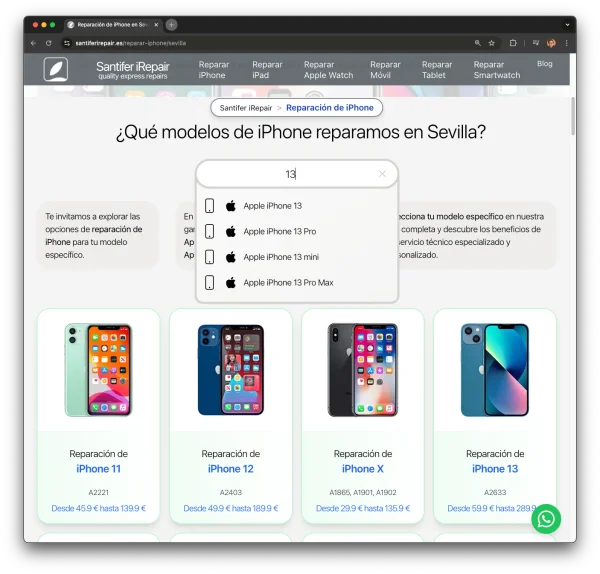
The interesting part is that the search is context-aware. On the homepage it searches across all 867 models from every brand and device type. But on a brand page (e.g., Samsung), it only searches Samsung models. On a device type page (e.g., tablets), only tablets. The same component, with filter props (`filtroTipo`, `filtroMarca`), behaves differently depending on where it's embedded. Models lazy-load on first input focus and cache in localStorage so subsequent searches are instant.
Here's the actual scoring function — 30 lines, zero dependencies:
function calcularPuntuacion(modelo, terminosBusqueda) {
  let puntuacion = 0;
  const nombreModelo = modelo.n.toLowerCase();

  const todasPresentes = terminosBusqueda.every(t => nombreModelo.includes(t));

  if (todasPresentes) {
    puntuacion += 20;
    const palabrasModelo = nombreModelo.split(/\s+/);
    const extras = palabrasModelo.filter(p => !terminosBusqueda.includes(p)).length;
    puntuacion -= extras * 2;

    if (nombreModelo === terminosBusqueda.join(' ')) puntuacion += 30;
    if (nombreModelo.startsWith(terminosBusqueda.join(' '))) puntuacion += 10;
  }
  return puntuacion;
}
+20 base
All terms must be present. "iphone 12 pro" matches "Apple iPhone 12 Pro" but not "Apple iPhone 12".
-2 per extra word
Penalizes long names. "Apple iPhone 12 Pro Max" scores lower than "Apple iPhone 12 Pro" for the query "iphone 12 pro".
+30 exact, +10 starts-with
Exact matches dominate. 30 lines, zero dependencies, outperforming Fuse.js for this specific domain.
The Decision Engine#
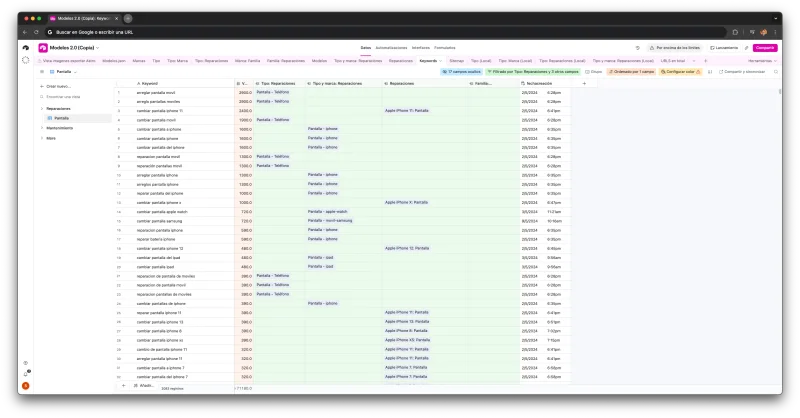
The system generates thousands of pages (well beyond the 4,730 that received traffic), but not all deserve to be indexed. If nobody searches "repair front camera iPhone 11", that page shouldn't compete on Google — but it needs to exist for the user browsing from the iPhone 11 page who needs exactly that repair. The key is separating SEO from UX. The decision engine queries DataForSEO for real search volume on each combination, and stores the result in the "indexable" field in airtable.ts.
High search volume (DataForSEO) → Indexable page
If the keyword has significant volume, the page is generated with meta robots "index, follow", included in the sitemap, and receives priority internal linking.
Low or zero search volume → Noindex page (UX only)
The page exists for user experience and internal navigation, but carries meta robots "noindex" and is excluded from the sitemap.
No service data in the ERP → Page not generated
If there's no real service data (price, availability), the page doesn't get built. Zero thin content.
Discontinued repair → Bridge redirect
The page is flagged as "bridge" and returns a 301 redirect to the closest alternative. Preserves accumulated authority.
Crawl Budget Optimization#
With 4,700+ pages, managing crawl budget is critical — per Google Search Central's crawl budget documentation. Google shouldn't waste time crawling pages that won't rank. The 700+ robots.txt rules add to the 1,009 redirects inherited from the migration.
Selective noindex with DataForSEO
The "indexable" field in Airtable is fed directly from DataForSEO volume data. Pages without search volume get noindex. Not an arbitrary call — it's data-driven.
Filtered sitemap (4,084 URLs)
The sitemap.xml only includes indexable URLs. Out of 4,730 pages with impressions, just 4,084 made it into the sitemap. Google doesn't discover the rest through this channel.
URL structure with 6 patterns
Each taxonomy level has a predictable URL pattern. Google understands the hierarchy without needing to guess.
Contextual internal linking
Indexable pages receive more internal links. City pages link to available repairs, models link to their repairs, and families aggregate their models.
Bridge redirects for discontinued items
Instead of returning a 404 when a repair is discontinued, it 301-redirects to the closest alternative. 700+ redirect rules in vercel.json. Zero authority loss, zero broken links.
"Safe Noindex" Pattern
Accidental noindex is one of SEO's costliest mistakes — one line can deindex thousands of pages. Here's how we prevented it:
{NOINDEXCUIDADO &&
  NOINDEXCUIDADO === 'Estoy absolutamente seguro que no quiero hacer no index por eso pongo esta cadena' && (
    <meta name="robots" content="noindex" />
  )}
String, not boolean
A boolean can be true by accident (wrong field, default value, migration error). An 80-character Spanish string requires deliberate intent.
Double guard
The prop must be truthy AND match the exact string. Even if set to "true" or 1, the noindex tag won't render.
Build Pipeline#
The pipeline turns CMS data into a deploy-ready static site. Fully automated. schema.ts alone spans 1,677 lines mapping the Airtable hierarchy to Astro types.
Airtable API
Record extraction with retry and exponential backoff
Schema Mapping
1,677 lines transforming the 6-level hierarchy into TypeScript types
Review Cache
Reviews are cached to avoid redundant API calls
getStaticPaths
Generates static routes from the full taxonomy
ReparacionLayout
21 page templates rendering based on taxonomy level
Astro SSG
Static build with minimal lazy-loaded JavaScript
Optimization
Compressed images, EXIF injection, filtered sitemap, internal linking
Cloudflare CDN
Deployment with cache invalidation and global edge caching
Retry with Exponential Backoff
The pipeline starts by pulling data from Airtable. Fourteen tables, thousands of records — API calls need to be resilient. One generic function handles all of it:
function delay(ms: number): Promise<void> {
  return new Promise(resolve => setTimeout(resolve, ms));
}

async function retryWithBackoff<T>(
  operation: () => Promise<T>,
  retries: number = 5,
  delayTime: number = 500
): Promise<T> {
  try {
    return await operation();
  } catch (error: any) {
    if (retries > 0 && (error.statusCode === 502 || error.statusCode === 503)) {
      await delay(delayTime);
      return retryWithBackoff(operation, retries - 1, delayTime * 2);
    }
    throw error;
  }
}
Generic <T>
A single function for every record type (ITipos, IMarcas, IModelos, IReparaciones...).
502/503 only
Only retries server errors (Bad Gateway, Service Unavailable). Client errors (400, 401) fail immediately.
delayTime * 2
Exponential backoff: 500ms → 1s → 2s → 4s → 8s. 5 retries = 15.5s max before giving up.
Review Cache System
Reviews are the costliest calls in the build: 4,700+ pages might need them, but only 607 exist. Load them all once at build start, let every page query from memory:
let caches: { [key: string]: Reseña[] | undefined } = {};

async function loadReseñas(baseName: string, cacheKey: string): Promise<void> {
  if (caches[cacheKey]) return;

  const fetchOperation = () => new Promise<Reseña[]>((resolve, reject) => {
    const allRecords: Reseña[] = [];
    base(baseName)
      .select({ view: 'CMSAstro', fields: ReseñaFields })
      .eachPage(
        (records, fetchNextPage) => {
          records.forEach(record => allRecords.push(mapReseñaFields(record.fields)));
          fetchNextPage();
        },
        (err) => err ? reject(err) : resolve(allRecords)
      );
  });

  caches[cacheKey] = await retryWithBackoff(fetchOperation);
}

export async function ensureCachesLoaded(): Promise<void> {
  await Promise.all([
    loadReseñas('Reseñas sincronizar Astro', 'cachedReseñas'),
    loadReseñas('Reseñas Internas', 'cachedReseñasInternas')
  ]);
}

// Runs on module import
ensureCachesLoaded().catch(console.error);
Module-level call
ensureCachesLoaded() runs when the module is imported. In Astro SSG, all reviews load into memory before page generation begins.
Promise.all
Both sources (Google My Business + internal surveys) load in parallel.
Trade-off: O(n) find
Pages look up by ID with .find(). Linear scan, but with 607 reviews it eliminates hundreds of API calls. The right trade-off for a build pipeline.
Automated Content Pipeline#
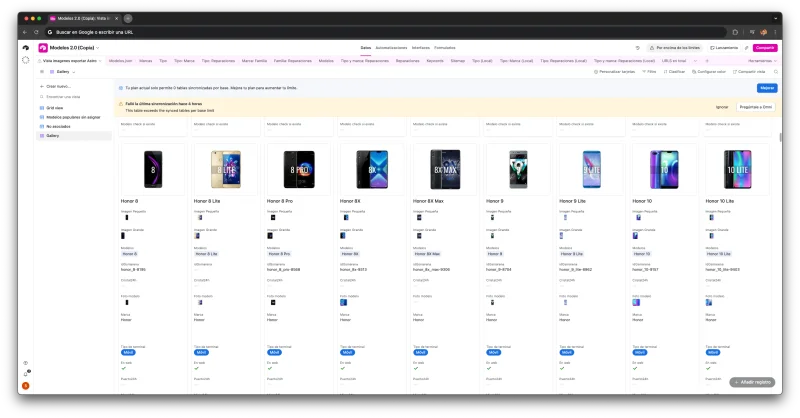
Generating thousands of pages is half the job. Each one needs unique images, metadata, and copy. Eight Node.js scripts (1,411 lines total) automate all visual and textual content production — zero manual work. Everything connects back to the 12 Airtable bases in the Business OS. Result: over 26,000 auto-generated images.
Parametric Image Generation
One device photo spawns 18 variants automatically — one per repair type (screen, battery, camera, charging port...) plus a generic image. Device photos are pulled from GSM Arena and composited with PNG repair overlays. 867 models × 18 variants = 15,500+ unique images, no Photoshop required.
EXIF Injection for Local SEO
Every image gets Seville GPS coordinates and an SEO description injected into its EXIF metadata. Google Images reads these for local search ranking. Automated with piexifjs and UCS-2 encoding.
Before/After Photo Pipeline
10,000+ real repair photos processed automatically. Downloaded from Airtable, resized, background-blurred, composited to WebP, and the resulting URLs written back to Airtable. Bidirectional ETL: Airtable → processing → Airtable.
Dynamic Per-Model Copy
Each device model has a field with its real hardware specs (camera, battery, processor). A prompt turns those specs into unique microcopy for each page. This isn't AI generating content — it's AI describing real hardware data. Every page reads differently because every device IS different.
Every repair image gets the shop's GPS coordinates injected into EXIF metadata. Google Images uses this data to surface images in local search results:
// Shop coordinates in Seville
gps[piexif.GPSIFD.GPSLatitude] = convertToDMS(37.38606);
gps[piexif.GPSIFD.GPSLatitudeRef] = 'N';
gps[piexif.GPSIFD.GPSLongitude] = convertToDMS(-5.98585);
gps[piexif.GPSIFD.GPSLongitudeRef] = 'W';

// SEO description in both EXIF fields
exifObj['0th'][piexif.ImageIFD.ImageDescription] = description;

// UCS-2 for Unicode support (Spanish accents, ñ)
const userComment = Buffer.concat([
  Buffer.from('UNICODE\0\0\0', 'ascii'),
  encodeUCS2(description),
]);
exifObj['Exif'][piexif.ExifIFD.UserComment] = userComment.toString('binary');
Fixed GPS
Every repair image receives the exact shop coordinates in Seville. Google Images uses EXIF GPS for local results.
Dual description
SEO text goes in ImageDescription (standard EXIF) and UserComment (extended EXIF). Different parsers read different fields.
UCS-2 encoding
Spanish characters (accents, ñ) require Unicode encoding. The EXIF spec mandates UCS-2 with a UNICODE\0\0\0 prefix.
Content Cascade: One Review, Six Pages
The system automatically inherits content through the taxonomy. A review for "iPhone 12 screen repair" doesn't just appear on that page — it shows up everywhere it's relevant:
| Page | Level |
|---|---|
| /reparar-movil/apple/iphone-12/pantalla/sevilla | Model + repair + city |
| /reparar-iphone/pantalla/sevilla | Device + repair + city |
| /reparar-movil/apple/sevilla | Device + brand + city |
| /reparar-iphone/sevilla | Device + city |
| /reparar-movil/pantalla/sevilla | Device + repair + city |
| /reparar-movil/sevilla | Device + city |
The same logic applies to before/after photos: a photo from an iPhone 12 screen repair appears on every page in that taxonomy branch. This multiplies unique content without duplicating or generating anything artificially. Each page accumulates more social proof and visual content as the business grows.
Explore the pipeline scripts on GitHub →
Inside the Image Pipeline#
The previous section describes the pipeline at a high level. Here you can see exactly how it works: the actual overlay templates, the composition code, and what happens when you run it across 867 different models.
The Overlay Templates
Each repair type has a 384×256 pixel PNG overlay. The overlay visually represents which part gets repaired: a cracked screen, a battery, a camera... 17 templates total, each designed to composite over any device photo.



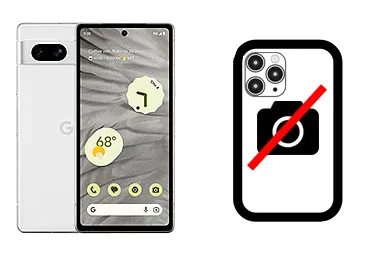


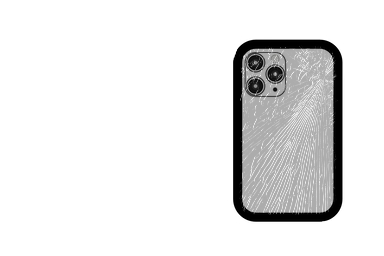

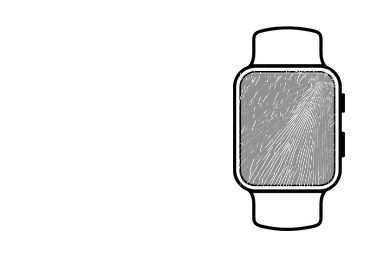
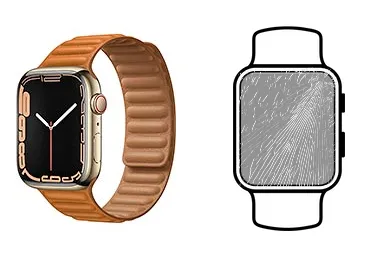
The Composition Process
Each repair image is generated in 6 steps, fully automated with a Node.js script and Sharp.js:
Download device photo
The official device photo is pulled from GSM Arena and stored temporarily.
Create 384×256 white canvas
Sharp.js creates a blank base image at 384×256 pixels with an alpha channel.
Overlay the repair PNG
The repair template (screen, battery, etc.) is composited as the first layer on the canvas.
Center device at x=96
The device photo is proportionally resized and centered at x=96, leaving room for the overlay on the right.
Export to WebP
The result is exported as optimized WebP. Each image weighs ~5-8 KB.
Repeat ×17 repairs + hero
The process repeats for all 17 repair types plus a generic hero image at 256×256. Total: 18 images per model.
The Actual Code
This is the real snippet from generarImagenesReparacionesModelos.mjs that generates each repair image:
await sharp({
  create: {
    width: 384, height: 256,
    channels: 4,
    background: { r: 255, g: 255, b: 255, alpha: 1 }
  }
})
  .png()
  .composite([
    { input: overlayPath },
    { input: devicePhoto,
      top: Math.round(top),
      left: Math.round(left) }
  ])
  .webp()
  .toFile(outputPath)
Canvas
Creates a blank 384×256 image with a white background and alpha channel. This is the canvas everything composites onto.
Composition order
Overlay first (repair template), then the device photo. Order matters: the overlay sits behind the device.
Positioning
The device photo is vertically centered and positioned at x≈96. This leaves visual room for the repair overlay to be visible on the right.
1 Photo → 18 Variants
From a single iPhone 14 Pro photo, the pipeline automatically generates 18 unique images: one generic hero and 17 repair variants. Each variant composites the device photo with a specific overlay.

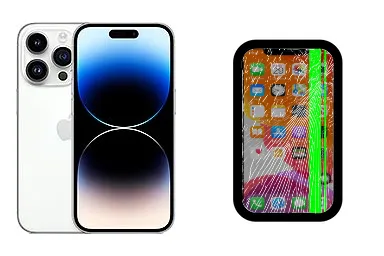
iPhone 14 Pro screen replacement
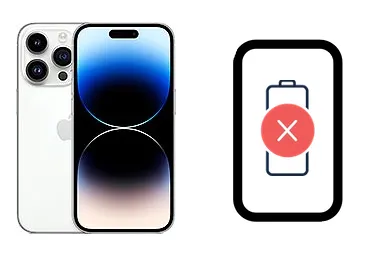
iPhone 14 Pro battery replacement

iPhone 14 Pro rear camera replacement
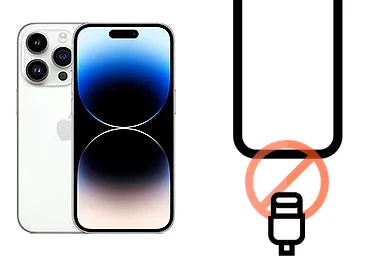
iPhone 14 Pro charging port replacement

iPhone 14 Pro back cover replacement
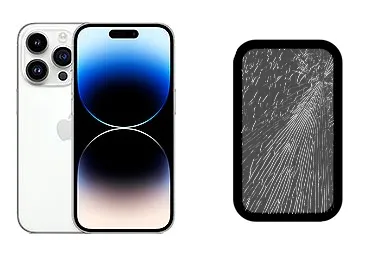
iPhone 14 Pro glass replacement
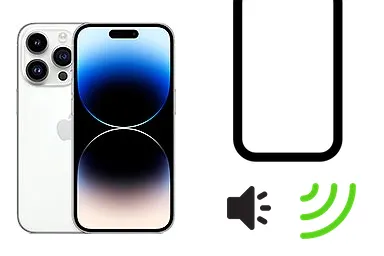
iPhone 14 Pro speaker replacement
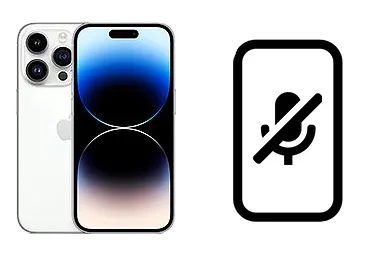
iPhone 14 Pro microphone replacement
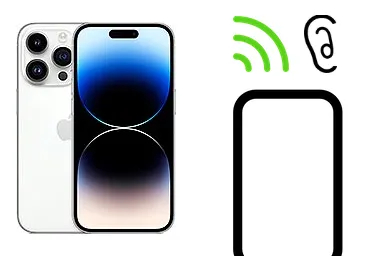
iPhone 14 Pro earpiece replacement
9 of the 17 auto-generated variants for the iPhone 14 Pro. Each image composites the real device photo with a specific repair overlay.
Same Pipeline, Different Device
The same process applies to any device. The photo changes, the overlays stay the same. That's what makes it possible to scale to 867 models with zero manual work.



The Scale
867
Models
Unique devices with generated images
17
Overlays
Repair templates (screen, battery, camera...)
18
Imgs/model
17 repairs + 1 hero per device
15,606
Composites
Total auto-generated images
Reviews Pipeline#
Reviews are the most powerful social proof on every page. But managing hundreds of customer profiles, syncing two sources, and cascading trust signals across the entire taxonomy requires its own pipeline.
Source & Sync
Reviews come from two sources: Google My Business (publicly verified) and internal post-repair surveys. Both sync to Airtable and normalize into a single format.
| Table | Source | Key fields |
|---|---|---|
| Reseñas sincronizar Astro | Google My Business | quote, name, rating, imageUrl, response |
| Reseñas Internas | Post-repair surveys | quote, name, rating, imageUrl, linked model |
Profile Photo Processing
Every review with a profile photo goes through an automated processing pipeline:
Download photo from Airtable
The profile photo URL is downloaded from the Airtable attachment field.
Convert to WebP quality 95
Sharp.js converts the image to WebP at quality 95 to preserve facial detail.
Save to /bg/res/
The file is saved with a semantic name: reparacion-{type}-{model}-{name}-{date}.webp
Write URL back to Airtable
The resulting URL is written back to the corresponding field. Bidirectional ETL.
The Actual Code
This is the real snippet from `generarImagenesReseñas.mjs` that processes each profile photo:
const imageBuffer = await fetch(attachmentUrl)
  .then(r => r.arrayBuffer())

await sharp(Buffer.from(imageBuffer))
  .webp({ quality: 95 })
  .toFile(outputPath)

// Write processed URL back to Airtable
await base('Reseñas sincronizar Astro')
  .update(record.id, {
    'imagen_procesada': outputUrl
  })
Dimension preservation
No resizing — profile photos keep their original dimensions for maximum quality in the carousel.
WebP quality 95
Higher quality than repair photos (85) because profile photos are smaller and detail matters more.
Bidirectional ETL
Airtable is both source AND destination: the photo is downloaded, processed, and the resulting URL is written back to the record.
Social Proof Cascade
Reviews don't just appear on one page — they inherit across the entire taxonomy. A review linked to a model propagates to every page where that model is relevant.
"iPhone 14 Pro" review → appears on every repair page for that model, in every city
"iPhone 14" family review → appears on all models in the family (14, 14 Plus, 14 Pro, 14 Pro Max)
"Apple" brand review → appears on aggregated brand pages like /reparar-movil/apple/sevilla
The cascade is automatic: link the review to the right level and the build distributes it
Hundreds of Profiles Processed
Real customer profiles processed by the pipeline. Each photo was downloaded, converted to WebP, and linked back to Airtable.


Real customer profiles. Each photo is downloaded, converted to WebP, and linked back to Airtable.
Rendering: CRO Carousel
In production, reviews render in a carousel with 9-second auto-rotation, a visual progress bar, and dot navigation. The top 20 reviews are visible directly; the rest expand under a "Show more" button. All server-rendered — zero JavaScript for the base carousel.
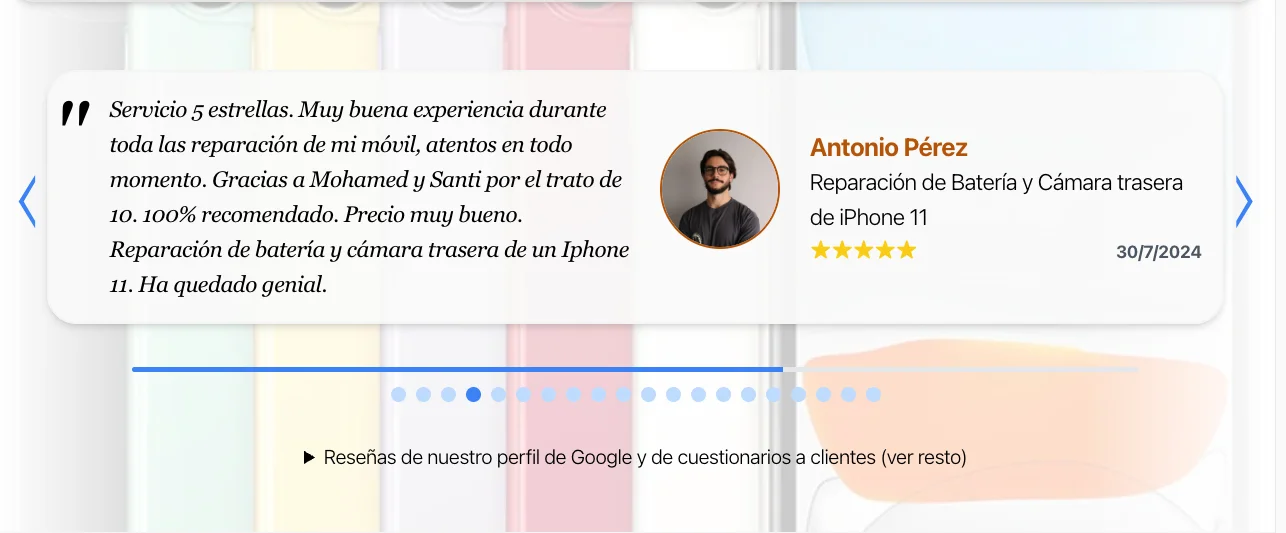
1 / 5
The Scale
600+
Profiles processed
Profile photos converted to WebP
2
Sources
Google My Business + internal surveys
9s
Rotation
CRO carousel auto-rotation interval
≥5★
Priority
5-star reviews with comments shown first
Before/After Pipeline#
Every completed repair generates photographic evidence: 4 photos documenting the device's state before and after. This pipeline processes those photos automatically and distributes them across the site.
Capture Protocol
Every completed repair at the shop follows a 4-photo protocol:
Front before
Front-facing photo of the device before repair. Shows visible damage (cracked screen, marks, etc.).
Front after
Front-facing photo after repair. Same angle for direct comparison.
Back before
Back photo before repair. Documents the device's overall condition.
Back after
Back photo after repair. Completes the visual documentation.
Automated Processing
Each photo goes through 6 processing steps with Sharp.js:
Download from Airtable
The original photo is downloaded from the repair record's attachment field.
Resize to 1/4 resolution
The image is scaled to 25% of its original size. Enough for web, cuts file size dramatically.
Conditional blur (sigma 8)
If the `difuminar` flag is set, a Gaussian blur at sigma 8 is applied. Protects personal data visible on screen.
Semi-transparent white overlay
A 30% white layer is composited over the background for consistent contrast and a clean look.
Export to WebP quality 85
Quality 85 — lower than profile photos (95) because at 1/4 resolution the extra detail isn't noticeable.
Write slug back
The processed filename is written back to Airtable so the Astro build can find it.
The Actual Code
This is the real snippet from CasosExito.mjs that processes each repair photo:
let pipeline = sharp(inputBuffer)
  .resize({
    width: Math.round(metadata.width / 4),
    height: Math.round(metadata.height / 4)
  })

if (record.fields.difuminar) {
  pipeline = pipeline.blur(8)
}

await pipeline
  .composite([{
    input: whiteOverlay,
    blend: 'over'
  }])
  .webp({ quality: 85 })
  .toFile(outputPath)
Resize 1/4
Scales to one quarter. A 4032×3024 photo becomes 1008×756 — perfect for web, drops file size from ~3MB to ~30KB.
Conditional blur
Only applied when the `difuminar` field is set in Airtable. Sigma 8 blurs notifications and personal data visible on screen.
Quality 85 vs 95
Lower quality than profile photos because at 1/4 resolution the extra detail doesn't add value. Saves ~40% file size per image.
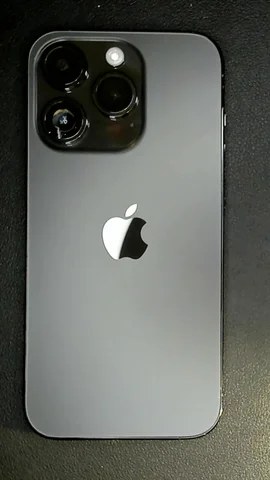
Real Result: iPhone 14 Pro
These are real photos processed by the pipeline. Front and back, before and after repair.



Same Pipeline, Different Brands
The pipeline works the same for any brand and model. Here it is applied to a Samsung Galaxy A51 and a Xiaomi Redmi Note 9S.




Same processing pipeline for any brand. Photos are downloaded, resized, blurred if needed, and exported to WebP automatically.
The Scale
10,342
Photos processed
Real repair photos converted to WebP
4
Angles
Front before/after + back before/after
1/4
Resolution
Resized to 25% of original for web
Q85
WebP quality
Optimized quality for repair photos
Growth Curve#
Launched in October 2024. The first months were pure indexation momentum. After an initial peak in January, traffic flatlined from February through June — and it wasn't seasonality. It was a restructuring: the original version generated both national and local pages for every combination, but there were too many and Google clearly favored local intent. I redirected national pages to their local /sevilla equivalents, keeping only niche repairs in national format (like /cambiar-bateria-iphone-11) where specificity outweighs the lack of localization. While Google re-indexed the new structure, traffic stayed flat. Once consolidated, growth took off again — peaking in September 2025 at 2,193 clicks.
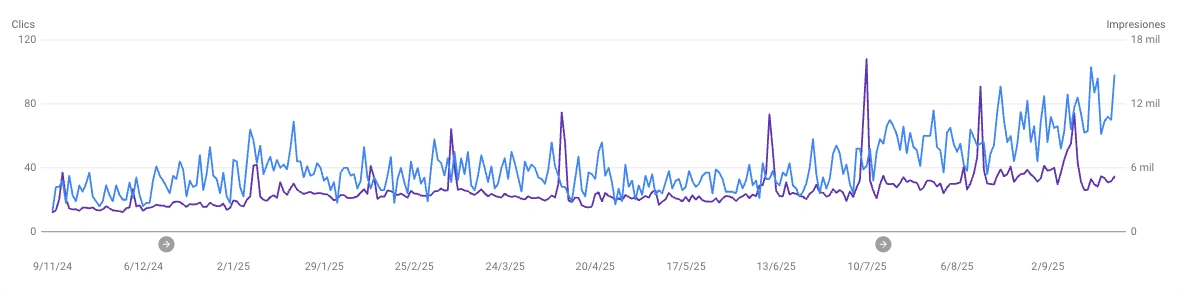
| Month | Clicks | Impressions | |
|---|---|---|---|
| Oct 2024 | 202 | 16,420 | Launch |
| Nov 2024 | 748 | 69,054 | |
| Dec 2024 | 949 | 77,387 | |
| Jan 2025 | 1,277 | 110,836 | |
| Feb 2025 | 935 | 100,558 | National → local restructure |
| Mar 2025 | 1,191 | 118,826 | |
| Apr 2025 | 1,027 | 106,744 | |
| May 2025 | 936 | 97,137 | |
| Jun 2025 | 996 | 121,088 | |
| Jul 2025 | 1,611 | 150,927 | Post-restructure |
| Aug 2025 | 1,789 | 164,791 | |
| Sep 2025 | 2,193 | 164,440 | Peak · Business sold |
Google Search Console Milestones
Google celebrates traffic milestones with badges. In 3 months we went from 1.2K to 2K monthly clicks — the last badge arrived right as we closed the business sale.




Results#
Cumulative metrics since launch (October 2024 through February 2026), directly from Google Search Console:
19,388
Organic clicks
17 months of operation, Oct 2024 → Feb 2026
1.17%
Average CTR
Across 2.26M total impressions
4,084
URLs in sitemap
Only those that pass the DataForSEO decision engine
<1s
Page load time
Astro SSG with minimal lazy JS + Cloudflare CDN
But these results didn't come from nowhere. The starting point was a Squarespace website with technical problems that needed solving before the programmatic system could be built.
The Starting Point#
The business website had been running on Squarespace for years. No URL control, no canonical tags, no custom redirects. What was coming wasn't just a platform change — it was a triple migration: platform (Squarespace → Astro), domain (santifer.me → santiferirepair.es), and hosting (Squarespace → Vercel/Cloudflare). The first step was documenting exactly what needed fixing: a 144-page technical audit, completed as the Final Master's Project for the Big SEO program.

The Technical Audit
The first step was a full technical audit, completed as the Final Master's Project for the Big SEO program. 144 pages documenting every technical aspect of the website: from traffic baseline to the last meta description.
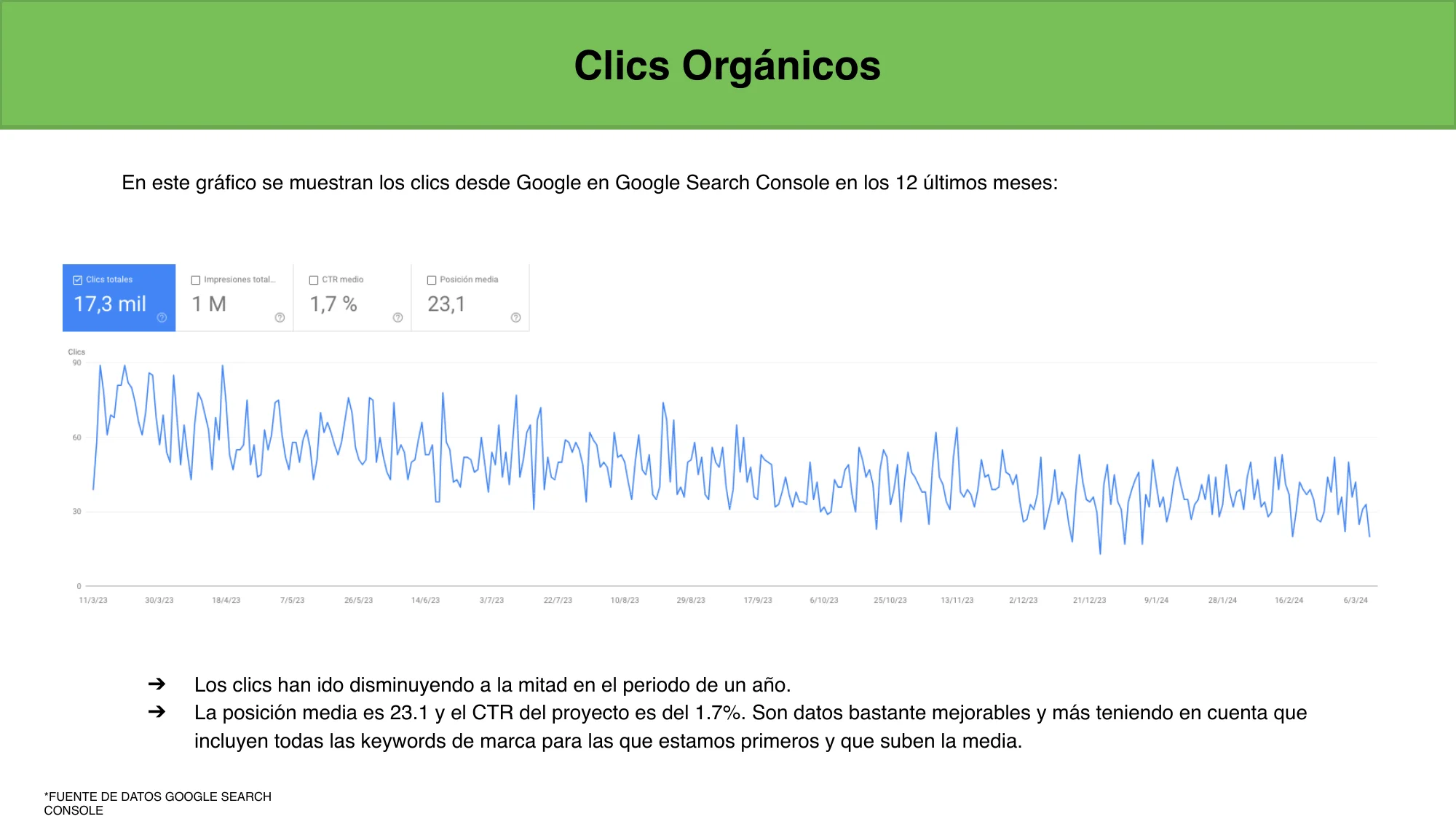
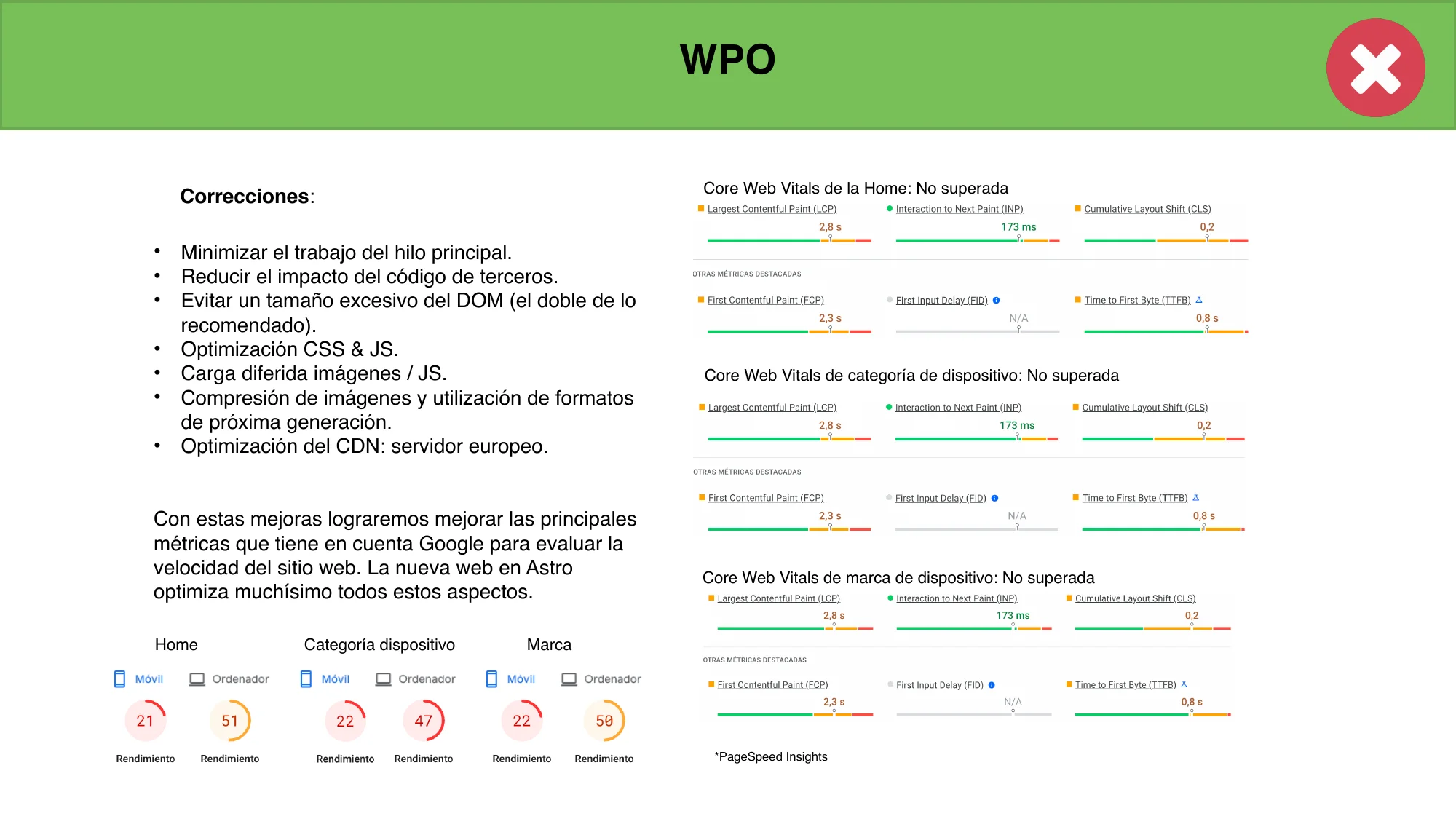
23.1
Avg. position
↓ Declining
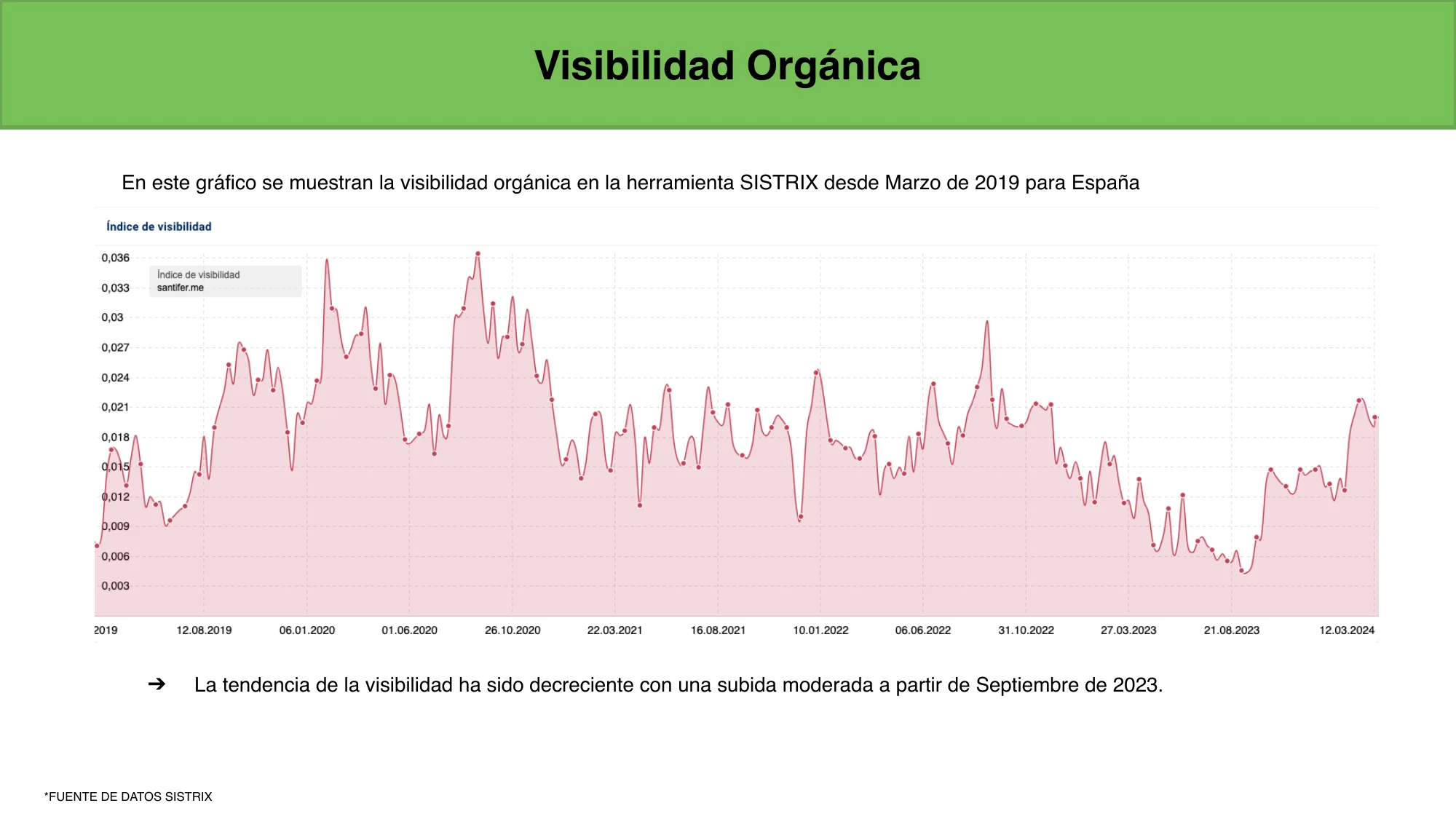
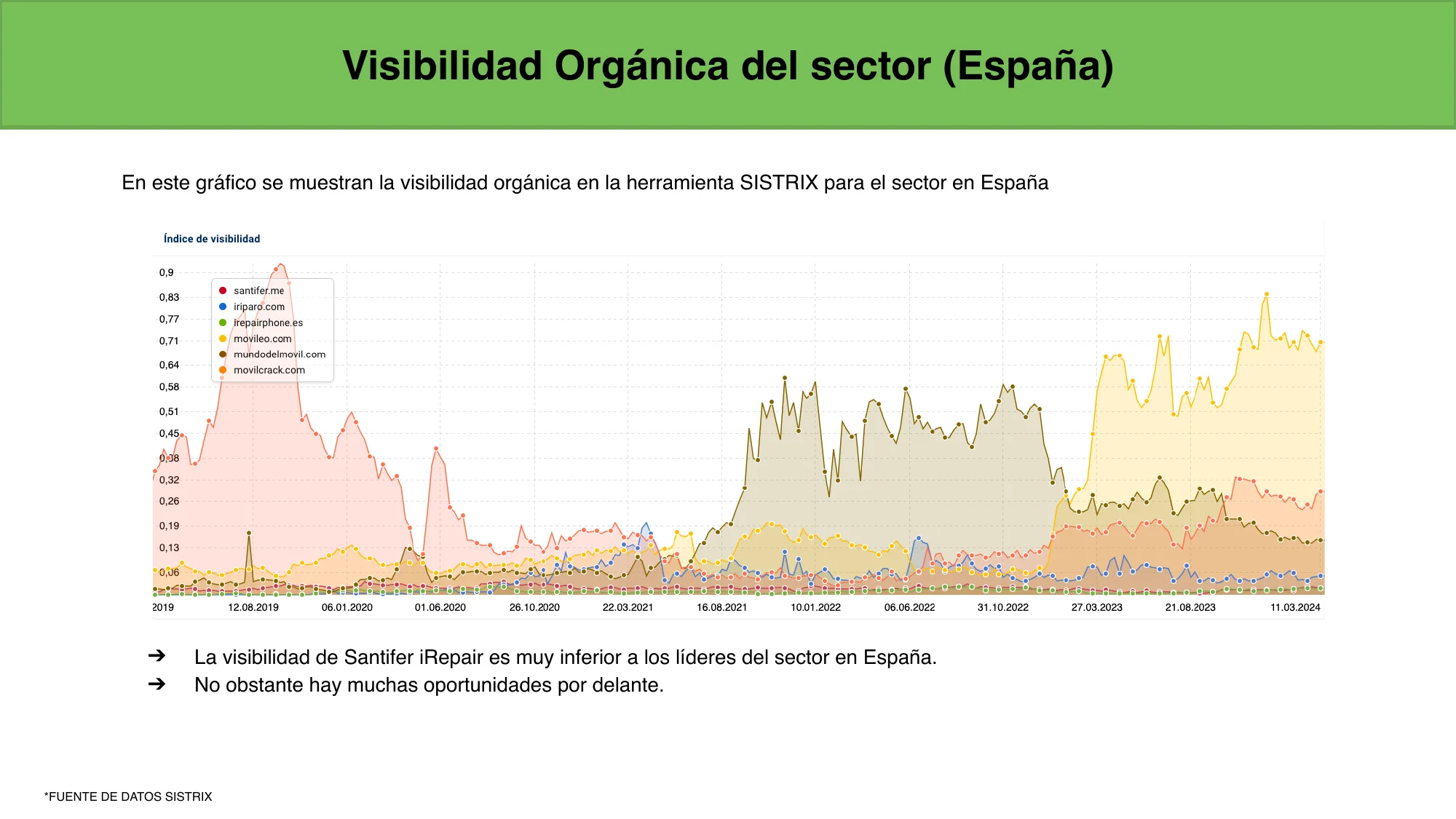
SISTRIX visibility
21/100
Lighthouse (mobile)
33/40
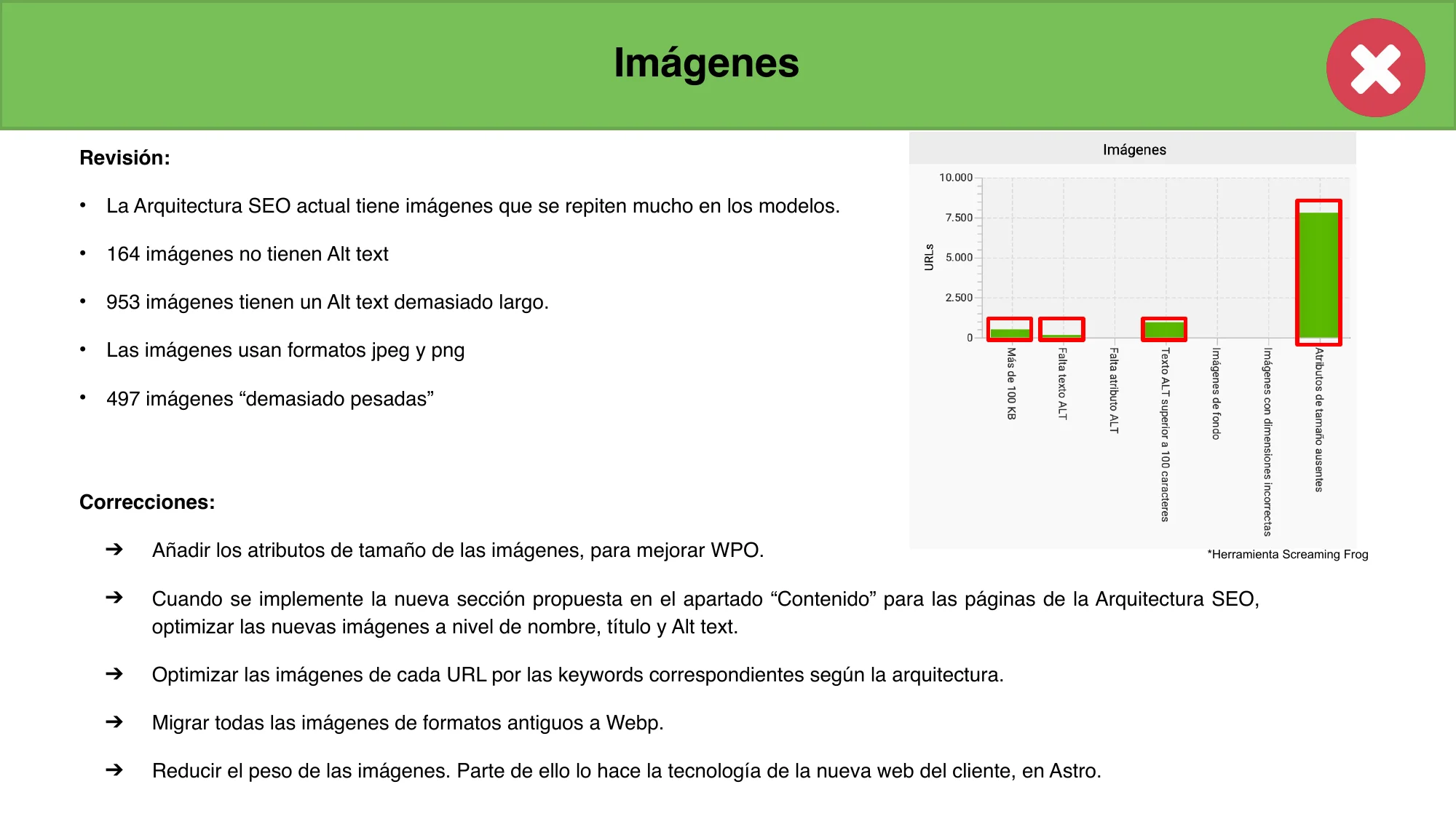
Items with errors
838 duplicate H1s
The Squarespace template injected a hidden H1 on every page, duplicating the main heading. Google saw two titles competing for relevance.
1,015 cannibalizations
Pages competing against each other for the same keywords. Home, categories, and models were stepping on each other in search results.
869 structured data errors
The LocalBusiness schema didn't follow schema.org recommendations. Google couldn't correctly interpret the business information.
831 non-canonical pages
Squarespace served 4 URLs per page without redirecting to the canonical. GSC reported them as duplicates without canonical.

The Technical Debt
No canonical tags
www vs non-www, with/without trailing slash, with/without .html. Same page, 4 URLs. 831 non-canonical pages in GSC. Squarespace set canonical but didn't redirect.
No custom redirects
Squarespace doesn't allow custom 301 redirects. 266 historical URLs returning 404 in GSC. Impossible to map old URLs to the new structure.
No URL slug control
The business taxonomy already existed, but Squarespace generated redundant URLs like /reparar-iphone/reparar-iphone-x. 15 URLs over 115 characters, 10 with uppercase, keyword repeated 3 times.
Duplicate content risk
1,015 cannibalizations detected. 79 pages with thin content. URL variants without canonicals sent confusing signals to Google, diluting the domain's authority.

The Migration
Full crawl with Screaming Frog
The crawl identified 838 pages with multiple H1s, 266 URLs returning 404, and 1,015 cannibalizations. The mapping resulted in 1,009 redirect rules.
New URL structure in Astro
From ~80 pages to an architecture of 480+ pages optimized for 156,000 monthly transactional searches. Clean URLs: /reparar-{device}/, /reparar-{brand}/{model}/.
301 redirects in vercel.json
Dedicated project (servidor-redirecciones) deployed on Vercel solely to serve 301s. 190KB of configuration in a single file.
Intent-based redirects
Redirect national pages to local versions. Example: /reparar-movil/reparar-samsung → /reparar-movil/samsung/sevilla.
The Redirect Server
The triple migration (platform, domain, hosting) required a plan to preserve the authority accumulated on the old domain. The solution was a dedicated Vercel project whose sole purpose was serving 301 redirects. One gotcha from the domain change: Squarespace wouldn't allow redirecting the homepage, which blocked GSC's change of address. The double hop HTTP→308→301 prevented validation. Fixed in an afternoon with Vercel Redirect Domain + Cloudflare Redirect Rules for a single direct 301.
1,009
Redirect rules
190 KB
vercel.json
4
Redirect tiers
46
Commits in 7 months
Model → model
/reparar-movil/reparar-samsung/reparar-samsung-galaxy-a12 → /reparar-movil/samsung/galaxy-a12. Clean URL, same intent.
Brand → brand + city
/reparar-movil/reparar-realme → /reparar-movil/realme/sevilla. The new structure added the city as a local signal.
Wildcard + catch-all
Any URL not mapped in the previous tiers redirects to the homepage. Zero 404s for users and for Google.
The Cost of Migration
Every migration has a transition cost. 800+ pages took time to get re-indexed and key keywords dropped temporarily — "reparar iphone sevilla" went from top 2 to position 6. This was expected: Google needs time to re-evaluate a domain after an address change. Recovery came.
100
Performance
92
Accessibility
96
Best Practices
100
SEO
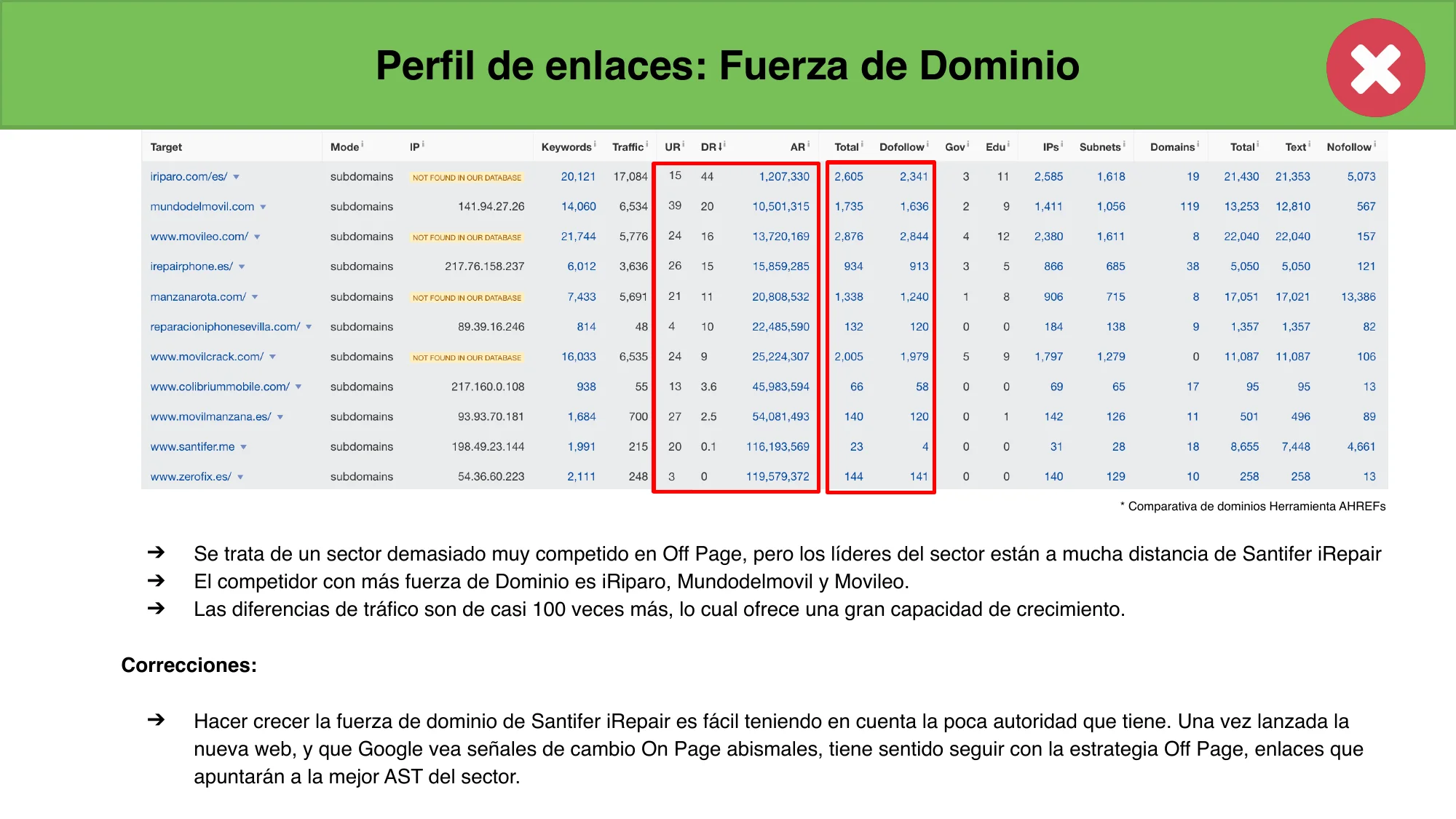
From a Lighthouse score of 21 on Squarespace to 100 on Astro. From DA 8 to competing in a market where leaders have 100x more traffic. The technical audit documented 33 problems; the migration solved them all at once.
Stack & Tools#
The stack was chosen for a specific need: generating thousands of static pages from a relational CMS, with minimal client-side JavaScript. Astro was the obvious pick for pure SSG. Airtable worked as CMS because it was already the business's Business OS — migrating to Supabase for a static site made no sense. DataForSEO was chosen for price and Spanish keyword coverage.
Astro
SSG, 21 templates, minimal lazy JS
Airtable
Headless CMS, 14 tables, ~60 fields/table

DataForSEO
Search volumes, "indexable" field
Custom ERP
867 models, prices, stock, photos, reviews
Cloudflare
CDN, edge caching, deployment
TypeScript
1,677-line schema.ts for the mapping
JSON-LD
6 types of structured data per page
Lessons Learned#
Google decides user intent, not you.
I started out wanting to rank nationwide. Google had other plans — it read repair searches as strongly local intent. Pages without a city got crushed by Seville-specific ones. The lesson: build the full infrastructure, but let GSC data tell you where to double down.
The decision engine matters more than the generator.
Generating 10,000 pages is trivial. Deciding which ones to index based on real DataForSEO data — that's what separates pSEO with results from a thin content farm. Out of all possible combos, only 4,084 made it into the sitemap.
The ERP is the moat, not the template.
Anyone can spin up pages with AI. Nobody can generate real before/after photos, verified reviews, dual pricing (original and compatible), and turnaround times from historical data without an integrated ERP. Unique content doesn't come from copy — it comes from data.
Airtable scales better than expected.
14 tables, ~60 fields per table, 6-level hierarchy. With retry and exponential backoff on the API, the build stays stable. The trick: cache reviews and skip redundant calls. For a one-person team, Airtable as a headless CMS just works.
National niche URLs deliver the best CTR.
The /cambiar-bateria-google-pixel-6a format pulls a 5.0% CTR at an average position of 7.8. These queries are so specific they've got almost zero competition. Individual volume is low, but multiplied across hundreds of models, it adds up fast.
Generated content without production data is thin content with better grammar.
The difference between pSEO that works and a content farm isn't the template or the AI — it's whether the data is real. ERP pricing, actual repair photos, verified reviews. This pattern applies to any business with operational data: e-commerce, marketplaces, catalog-driven SaaS.
Your business taxonomy IS your information architecture — don't invent it, map it.
I didn't design the URL structure from scratch. I mapped the hierarchy that already existed in the business: type → brand → model → repair → city. The Business OS already had that taxonomy in Airtable. The programmatic site simply exposed it to the world. If your company already has an internal ontology, use it.
What This Demonstrates
End-to-end system design
From ERP data to production pages — relational CMS, build pipeline, decision engine, crawl budget optimization.
Automation that scales without intervention
One person, 4,730 pages, 26,000+ images. The system kept running after the business was sold.
Data-driven decisions, not gut feelings
DataForSEO as the indexing engine. Google Search Console as the feedback loop. Every decision backed by real metrics.
Full execution in a real business context
This isn't a portfolio project or a tutorial. It's a production system that drove real traffic for a real business — and contributed to its sale.
The same ERP powers an AI agent
The Airtable data that generates these 4,700+ pages is also queried by Jacobo, an omnichannel AI agent that handles WhatsApp and phone. Same source of truth, two acquisition channels.
I design systems that turn operational data into competitive advantages.
This case study demonstrates a pattern I've applied repeatedly: map the business ontology, build a data-to-deploy pipeline, and measure everything with real metrics. Currently exploring AI Product Manager and Solutions Architect roles — if your team needs someone who thinks in systems and ships to production, let's talk.
FAQ#
Isn't programmatic SEO just spam?
Only if the pages don't add value. Here, every page has real service data: current pricing (original and compatible parts), turnaround based on historical data, before/after photos from actual repairs, and verified customer reviews. This isn't AI-generated filler — it's production data from the ERP.
Does it only work in Seville?
Local pages focus on Seville because that's where the physical shop is, and Google favors nearby results for repair searches. National pages (the /cambiar-{part}-{brand}-{model} format) work without geographic limits and capture niche queries across all of Spain.
Why no AI-generated content?
Because the moat is real data. Prices come from the ERP, photos are from actual repairs, reviews are from verified customers. An AI-generated page might sound good, but there's no production data behind it. The blog did lean on AI for writing, paired with NotebookLM for each article's podcast episode.
Does Airtable scale with 4,700+ pages?
Yes, with caveats. The 14 tables and ~60 fields per table work well with a build pipeline (not real-time queries). The key: retry with exponential backoff on the API and caching frequently hit data like reviews. For live queries at larger scale, you'd want to evaluate alternatives like Supabase.
How do you keep pages updated?
When a price changes or a model gets added in the ERP, the data syncs to Airtable. The next build regenerates the affected pages. New reviews propagate automatically through the family-model cascade. No manual work needed for content.
Why Astro instead of Next.js?
For a fully static site where content changes infrequently, Astro ships pure HTML with minimal JavaScript — only interactive components like the search bar and carousel, lazy-loaded. Pages load under a second, Core Web Vitals are great out of the box, and Cloudflare CDN deployment is dead simple.
What does DataForSEO do exactly?
DataForSEO provides real search volume for each keyword. The result gets stored in Airtable's "indexable" field. If a device + repair + city combo has no search volume, the page is built but tagged noindex. It's the decision engine that keeps you from diluting domain authority with pages Google would ignore.